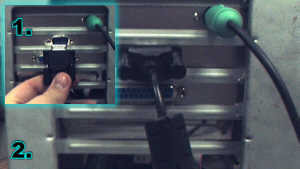
Connecting a VDC-200 to a Single 9-pin Serial Port
Connect the camera's RS-232 cable to the 9-pin serial port and tighten the screws.
In most systems with one serial port, the mouse should be connected with a PS/2 port (as shown in the upper right).
If the mouse is using the serial port, and a PS/2 mouse connection is available, the mouse can be connected to the PS/2 port with a serial to PS/2 adapter. These can be found at many computer retailers.