|
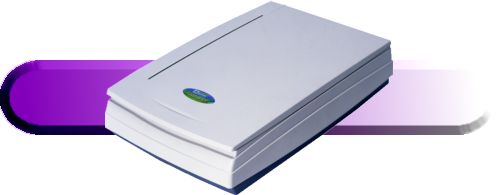
TwainScan 1200 III EP |
|
The TwainScan 1200 III EP is a complete 36-bit color scanning system, which includes the tools needed to scan photographs, logos, illustrations, and text. The 1200 III EP includes image editing and photo-retouching software as well as optical character recognition software.
The TwainScan 1200 III EP has an optical resolution of 600 x 1200 dpi and a maximum software enhanced resolution of 9600 dpi. With its 36-bit color abilities, the 1200 III EP can recognize over 68.7 billion colors internally and save up to 16.7 million colors, the maximum number of colors displayable by Windows The TwainScan 1200 III EP is a TWAIN compliant scanner. Through TWAIN, the 1200 III EP can scan directly into many supported applications, providing flexibility and value. Parallel Port Installation Installation couldn't be simpler. No interface cards, no jumpers, no unlabeled switches and no guesswork are needed. The TwainScan 1200 III EP plugs directly into the printer port on the back of your PC. Even more convenient, your printer then plugs into the back of the scanner. |
|
| Compact Design The overall dimensions of the 1200 III EP are 18.5" x 11.7" x 4.0", making it one of the most compact and efficient scanners in the world. Easy To Use The Direct Scan Program automatically launches when you open the scanner cover. Choose the destination for your scanned document from iPhoto Plus, TextBridge Classic OCR, Fax, Print or e-mail. Press the scan button and your document will automatically be sent to the proper application. Users who desire more control over scanner settings can disable the Direct Scan Program and use the TwainScan 1200 III EP TWAIN driver instead. With the easy-to-use interface of Ulead's iPhoto Plus 4, you can quickly turn your scanned images into greeting cards, announcements and invitations. You can incorporate your favorite images into calendars and brochures or you can just stick to the basics and use iPhoto Plus 4's retouching tools to make all of your pictures look their best.
With its "Instant Access OCR" feature, Xerox TextBridge Classic software allows documents to be scanned for editing directly with your word processing software. TextBridge is powerful and easy to use, capable of recognizing many different fonts at various sizes, quickly and accurately converting scanned documents into editable formats.
The included image editing software allows the TwainScan 1200 III EP to save in JPEG and GIF file formats commonly used for Internet graphics. The GIF file format allows transparent areas and interlaced downloading. The TwainScan 1200 III EP is both rugged and reliable. 1200 III EP scanners feature a two-year warranty, free technical support and are manufactured under strict ISO 9000 guidelines. Minimum
|